




TiviMate IPTV Player: The Full Review (2026) — Is It Worth It?
Is TiviMate worth it in 2026? Our full review covers Free vs Premium, key features, Fire Stick setup, M3U playlist setup, and how it compares to IPTV Smarters Pro.
Ask any experienced IPTV user which player they recommend, and the answer is almost always the same: TiviMate. Since its launch, TiviMate has become the gold standard for IPTV playback on Android TV and Amazon Fire Stick — beloved for its broadcast-quality EPG, rock-solid stability, and a Premium upgrade that costs less than a single streaming service month. But is it really as good as the reputation suggests? And is the paid version worth the money?
This is our complete, honest TiviMate review for 2026.
What Is TiviMate?
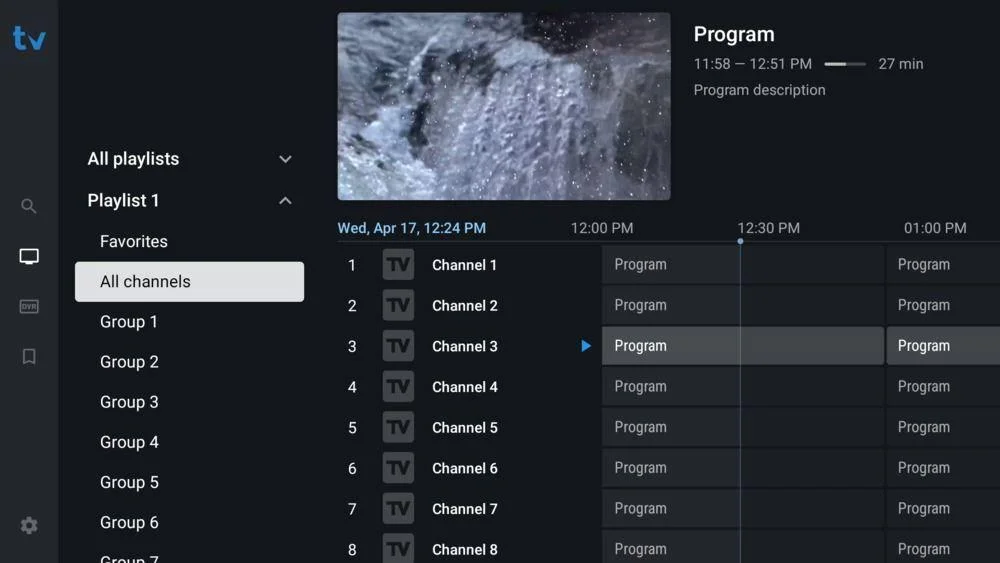
TiviMate is an IPTV media player application built specifically for Android TV and Amazon Fire TV devices. Developed by a small independent team, it reads M3U playlists or Xtream Codes credentials from your IPTV provider and presents your channels in a polished, television-like interface — complete with a proper EPG grid, catch-up support, and a channel favourites system.
Unlike some IPTV players that feel like mobile apps awkwardly scaled up to a TV screen, TiviMate was designed from the ground up for the 10-foot viewing experience. Navigation is remote-friendly, text is legible from across the room, and the grid guide feels like something you’d find on a premium satellite box.
Quick facts:
| Developer | TiviMate Team |
| Platform | Android TV, Amazon Fire TV, Google TV |
| Free version | Yes |
| Premium | ~€4.99/year (via TiviMate Companion app) |
| Compatibility | M3U playlists, Xtream Codes API |
| Last major update | 2025/2026 |
| Google Play rating | 4.5 / 5 |
TiviMate Free vs Premium — What’s the Difference?
One of TiviMate’s most common discussion points is the Free vs Premium split. Here’s exactly what you get with each:
Free Version
The free tier is genuinely usable — not a crippled demo. You get:
- Full live TV playback
- EPG guide (7-day schedule, where your provider supports it)
- Channel groups and favourites
- Single playlist support
- Basic player settings
For casual users with a single subscription and no need for advanced features, the free version covers the essentials.
TiviMate Premium
Premium is unlocked via a separate TiviMate Companion app purchased through the Google Play Store for approximately €4.99 per year (pricing may vary slightly by region). This unlocks:
| Feature | Free | Premium |
|---|---|---|
| Multiple playlists | ❌ 1 only | ✅ Unlimited |
| Catch-up / archive TV | ❌ | ✅ |
| Recordings | ❌ | ✅ |
| Panel (recently watched) | ❌ | ✅ |
| Parental controls (PIN) | ❌ | ✅ |
| Widget / home screen shortcut | ❌ | ✅ |
| Auto-start on boot | ❌ | ✅ |
Our verdict on Premium: At roughly €5 per year — that’s under 42 cents per month — TiviMate Premium is one of the best-value software purchases in the IPTV ecosystem. If you use TiviMate regularly, upgrading is a no-brainer.
TiviMate Key Features
EPG Guide
TiviMate’s electronic programme guide is the best available in any IPTV player, full stop. It renders a smooth, scrollable grid showing current and upcoming programmes across all your channels, with colour-coded progress bars showing how far through a programme you are. You can jump to any time slot, read programme descriptions, and — with Premium — set reminders or schedule recordings directly from the guide.
Catch-Up TV
With a Premium subscription and a provider that supports archive content, TiviMate lets you scroll the EPG backwards in time and watch programmes that already aired — up to however many days your provider stores. This is the feature that most closely replicates the “pause live TV” functionality of a traditional Sky or Virgin Media box.
Multiple Playlists
Free users are limited to one playlist. Premium unlocks unlimited simultaneous playlists, each displayed as a separate profile within the app. This is ideal if you subscribe to more than one IPTV service, or if different family members have different provider accounts they want access to.
Recordings
TiviMate Premium can record live streams to a connected USB drive or internal storage. While dependent on your device’s storage capacity and your provider’s stream stability, this is a feature very few competing apps offer at any price point.
Customisation
TiviMate offers an impressive range of interface and playback settings: buffer size, video renderer (ExoPlayer or internal player for 4K/HDR), skip-forward/back intervals, subtitle handling, audio track selection, channel logo sources, and more. Power users will find enough to tune, while casual users can leave everything at defaults and have a flawless experience.
How to Install TiviMate on Fire Stick & Android TV
Installation differs slightly depending on your device. Follow the correct section below.
On Amazon Fire Stick (Sideload Method)
TiviMate is not listed in the Amazon Appstore and must be sideloaded — a simple process that takes about five minutes.
- On your Fire Stick, go to Settings → My Fire TV → Developer Options.
- Enable Apps from Unknown Sources.
- Return to the home screen and search for Downloader — install this free utility app.
- Open Downloader and navigate to the URL entry field.
- Enter the TiviMate APK download URL. The most reliable source is the APKPure listing for TiviMate, or check the TiviMate subreddit for the current direct link.
- Download the APK and tap Install when prompted.
- Once installed, tap Open.
- To unlock Premium, repeat steps 5–7 using the TiviMate Companion APK, then open the Companion app and follow the purchase flow.
On Android TV / Google TV
TiviMate is available directly on the Google Play Store — no sideloading needed.
- Open the Google Play Store on your Android TV or Google TV device.
- Search for TiviMate IPTV Player.
- Select the app and tap Install.
- Once installed, open TiviMate.
- To unlock Premium, search for and install TiviMate Companion from the Play Store, open it, and complete the in-app purchase.
Tip: After purchasing Premium, open the main TiviMate app and navigate to Settings → Premium — it should automatically detect your Companion purchase and activate. If it doesn’t, try signing in with the same Google account used for the purchase.
How to Add an M3U Playlist to TiviMate
Once TiviMate is installed and open, connecting your IPTV subscription takes under two minutes.
- On the TiviMate home screen, select Add Playlist.
- Choose M3U Playlist or Xtream Codes depending on what your provider sent you.
For M3U:
- Select Remote Playlist (URL).
- Enter a name for your playlist (e.g. My IPTV).
- Paste your M3U URL into the URL field.
- Tap Next → Add.
For Xtream Codes:
- Select Xtream Codes.
- Enter a playlist name.
- Fill in your server URL, username, and password as provided by your IPTV service.
- Tap Next → Add.
- TiviMate will fetch your channel list. This typically takes 10–30 seconds for standard playlists, up to 2 minutes for very large ones.
- Once loaded, tap Go to Playlist to open your live channel guide and start watching.
Tip: If your EPG doesn’t load automatically, go to Settings → Playlist → EPG and ensure your provider’s EPG URL is entered. Most providers who use Xtream Codes supply EPG data automatically.
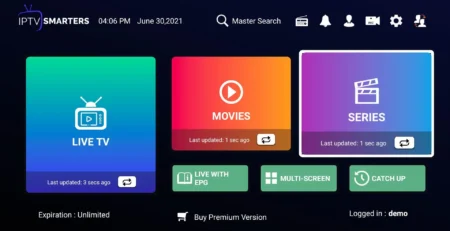
TiviMate vs IPTV Smarters Pro — Which Is Better?
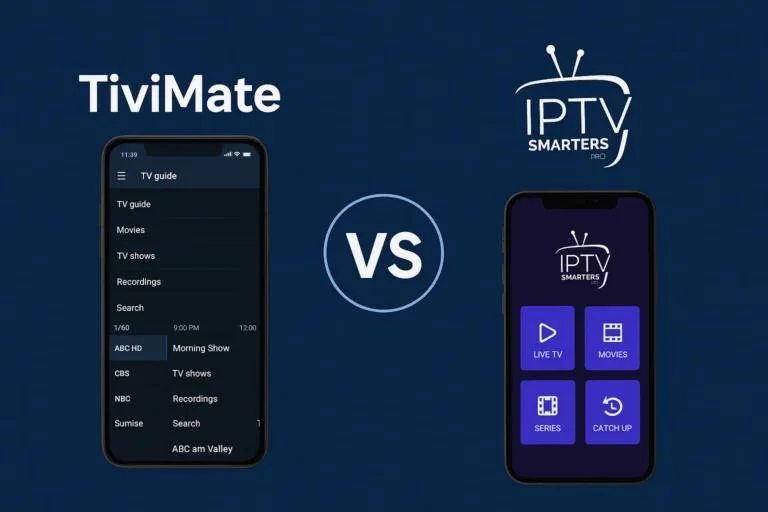
This is the most common comparison in the IPTV world. Here’s our honest head-to-head:
| TiviMate | IPTV Smarters Pro | |
|---|---|---|
| Best platform | Fire TV / Android TV | Multi-platform |
| iOS support | ❌ No | ✅ Yes |
| Smart TV app | ❌ No | ❌ No |
| EPG quality | ⭐⭐⭐⭐⭐ Exceptional | ⭐⭐⭐⭐ Good |
| Interface design | TV-native, remote-first | App-like, touch-friendly |
| Catch-up support | ✅ Premium | ✅ Yes |
| Recordings | ✅ Premium | ❌ No |
| Multiple playlists | ✅ Premium | ✅ Free |
| Price | ~€5/year (Premium) | Free |
| Customisation | Very deep | Moderate |
| Stability | Excellent | Very good |
| Beginner-friendly | ✅ Yes | ✅ Yes |
Verdict: If you watch primarily on a Fire Stick or Android TV box, TiviMate wins on every important metric — EPG quality, catch-up, recordings, and overall polish. If you need an app that works across iPhone, Windows, and Android interchangeably, IPTV Smarters Pro is the better choice due to its broader platform support.
Many experienced users run both: TiviMate on the living room TV, IPTV Smarters Pro on a phone or tablet.
Real User Reviews

We analysed hundreds of reviews from Google Play, Reddit (r/IPTV), and European tech forums to give you an accurate picture of real-world opinion.
What users love:
“I’ve tried six different IPTV players and nothing comes close to TiviMate. The EPG is just like having a real TV guide. Worth every penny of the Premium.”
— Google Play review, Germany“Set it up on my Fire Stick 4K in about 10 minutes. Everything worked first time. The catch-up feature is brilliant for Premier League games I miss during the week.”
— Reddit, r/IPTV, Netherlands“I was sceptical about sideloading an app but the process was simple. TiviMate is now the only IPTV app I recommend to friends.”
— Forum post, UK
What users find frustrating:
“Having to sideload on Fire Stick is annoying. Wish it was on the Amazon Appstore officially.”
— Google Play review, France“Premium requires a second ‘Companion’ app to purchase, which is confusing the first time.”
— Reddit comment, Spain“No iOS version. My partner uses an iPad and we need a separate app for her.”
— Forum post, Italy
Overall sentiment: Overwhelmingly positive. The most common criticism isn’t about the app’s quality — it’s about platform availability (Fire Stick sideloading, no iOS) rather than any functional flaw.
Final Verdict
TiviMate is the best IPTV player available for Android TV and Fire Stick users in 2026 — and it isn’t particularly close. The free version covers the basics well, and the Premium upgrade delivers catch-up, recordings, and multiple playlist support for a price that’s almost embarrassingly low.
Its weaknesses are real but limited: no iOS app, not available in the Amazon Appstore (requiring sideloading), and the two-app Premium system can confuse first-time users. None of these are dealbreakers for its target audience.
Rating: 9.5 / 10
If you own a Fire TV Stick, Nvidia Shield, Chromecast with Google TV, or any Android TV box, download TiviMate today. Spend the €5 on Premium within the first week. You won’t look back.
Frequently Asked Questions
1. Is TiviMate free?
Yes — TiviMate has a free version with core playback, EPG, and a single playlist. Premium features (catch-up, recordings, multiple playlists, parental controls) require the TiviMate Companion app, which costs approximately €4.99/year.
2. Does TiviMate work on iPhone or iPad?
No. TiviMate is available only on Android TV and Amazon Fire TV platforms. For iOS devices, GSE Smart IPTV or IPTV Smarters Pro are the recommended alternatives.
3. Is sideloading TiviMate on Fire Stick safe?
Yes, provided you download the APK from a trusted source (APKPure or a reputable IPTV community). TiviMate itself is a well-established, legitimate app — it simply isn’t listed in the Amazon Appstore. The sideloading process is safe and widely used.
4. Can TiviMate record live TV?
Yes — with a Premium subscription, TiviMate can record live streams to USB or internal storage. You’ll need a USB drive with sufficient capacity connected to your device (on Fire Stick, use a USB OTG adaptor).
5. How many devices can I use TiviMate Premium on?
TiviMate Companion Premium covers up to 5 devices per purchase. This makes it excellent value for households with multiple Fire Sticks or Android boxes.
Published: May 2026 | Tested on: Amazon Fire Stick 4K Max, Nvidia Shield TV Pro, Chromecast with Google TV (4K)