




What Is IPTV? The Complete Beginner’s Guide for European Users (2026)
Wondering what is IPTV and how it works? This complete beginner’s guide explains IPTV for European users — covering legality, setup, costs, and how to start watching today.
If you’ve ever asked yourself “what is IPTV and could it replace my cable subscription?”, you’re in the right place. Millions of Europeans are already cutting the cable cord and switching to a smarter, cheaper way to watch television. In this guide, we’ll explain everything you need to know — in plain language, without the tech jargon — so you can decide whether IPTV is right for you.
What Does IPTV Stand For?
IPTV stands for Internet Protocol Television. Let’s break that down:
- Internet Protocol (IP) is the set of rules that governs how data travels across the internet. It’s the same technology behind every website you visit and every video you stream.
- Television is, well, television — live channels, on-demand films, sports events, documentaries, and more.
Put them together and IPTV simply means: television delivered over the internet, rather than through a traditional aerial, satellite dish, or cable running into your home.
You may already be more familiar with IPTV than you realise. Services like BBC iPlayer, RTVE Play (Spain), ARD Mediathek (Germany), and France.tv are all forms of IPTV. What most people think of when they hear the term, however, is a subscription service that delivers hundreds — sometimes thousands — of live channels and on-demand content through a single app on your TV, phone, or tablet.
How Does IPTV Work?
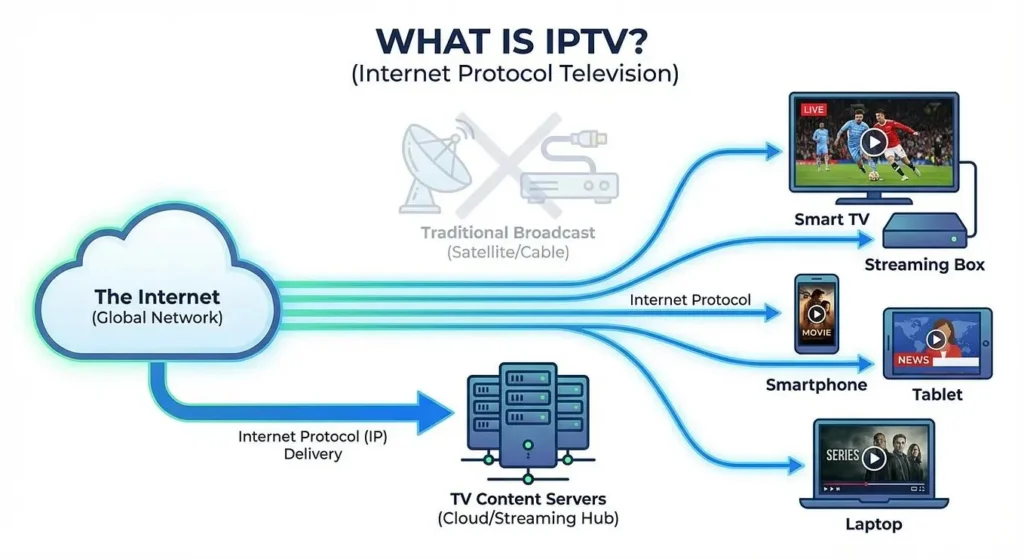
The Simple Analogy
Think of traditional TV like a water pipe running into your house. The water (the TV signal) flows constantly through the pipe, and you simply open a tap (change the channel) to access whatever is flowing at that moment. You have no control over what flows — only which tap you open.
IPTV is more like ordering a drink at a café. You tell the server exactly what you want, when you want it, and they bring it directly to your table. The content is fetched on demand, delivered specifically to you, in real time.
The Technical Picture (Kept Simple)
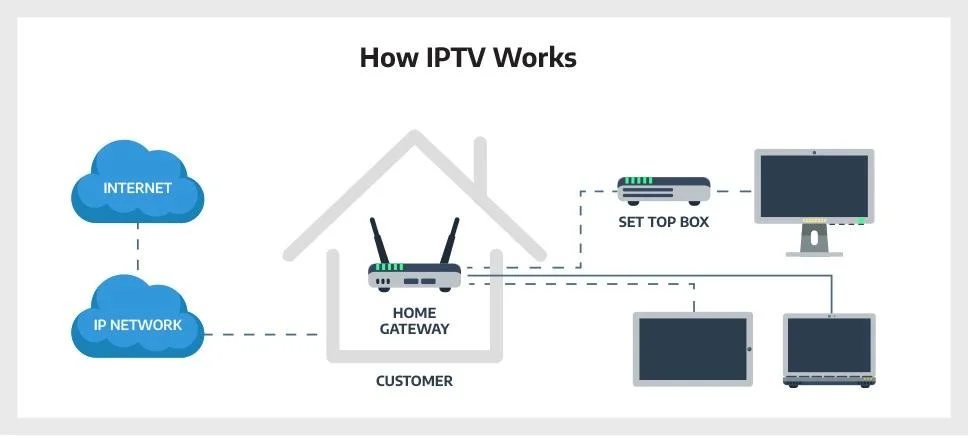
Here’s what actually happens when you press play on an IPTV channel:
- You select a channel or programme in your IPTV app.
- Your request is sent to a server — a powerful computer that stores or re-broadcasts the content.
- The server sends the video back to you in small packets of data, over your internet connection.
- Your device reassembles those packets and displays the picture on your screen, almost instantly.
The key file that makes this work is called an M3U playlist (or sometimes an XML/EPG file for the programme guide). Think of it as a digital TV magazine — a list of channels and their locations on the server. Your IPTV app reads this list and knows exactly where to find each channel.
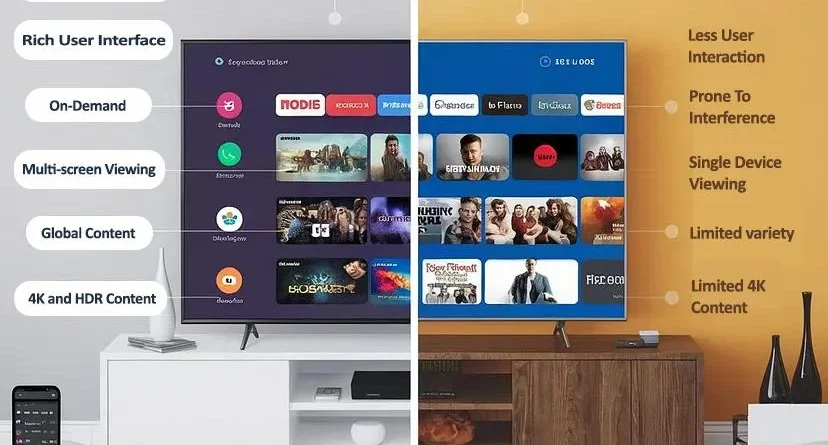
What Is IPTV vs Cable vs Satellite vs Streaming?
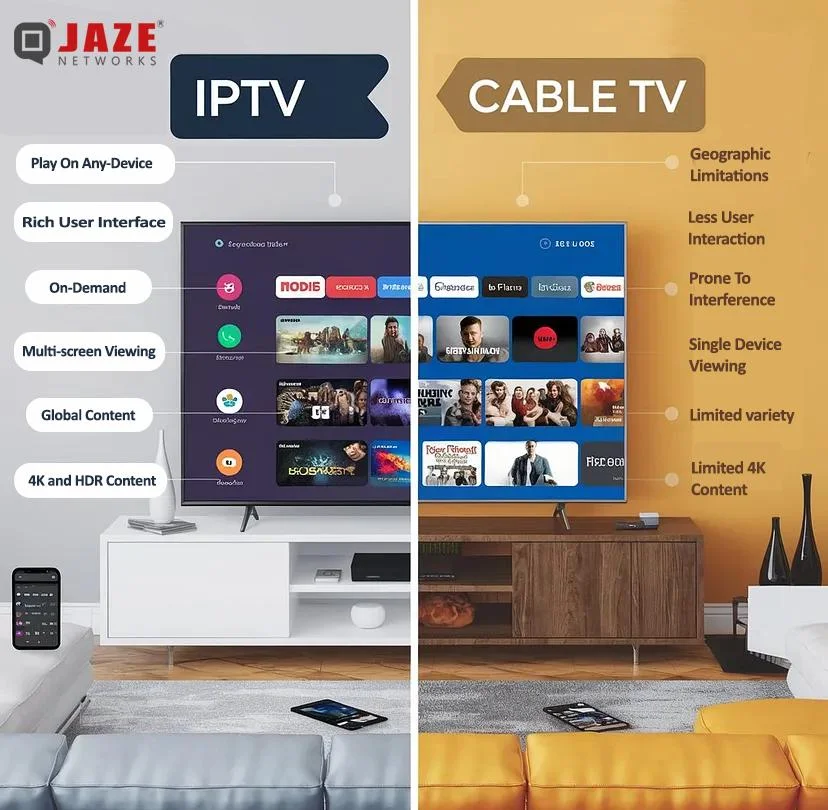
Not all TV is created equal. Here’s how IPTV compares to the options you’re probably already familiar with:
| Feature | IPTV | Cable TV | Satellite TV | Streaming (Netflix/Disney+) |
|---|---|---|---|---|
| Delivery method | Internet | Physical cable | Satellite dish | Internet |
| Live TV channels | ✅ Yes (hundreds–thousands) | ✅ Yes | ✅ Yes | ❌ Rarely |
| On-demand content | ✅ Yes | ⚠️ Limited | ⚠️ Limited | ✅ Yes |
| Installation required | ❌ No engineer needed | ✅ Yes | ✅ Yes (dish) | ❌ No |
| Contract required | ❌ Usually no | ✅ Typically 12–24 months | ✅ Typically 12–24 months | ⚠️ Monthly rolling |
| Average monthly cost | €5–€25 | €30–€60 | €25–€50 | €8–€18 per service |
| Works abroad (EU) | ✅ Often yes | ❌ No | ❌ No | ⚠️ Varies |
| Requires good internet | ✅ Yes (min. 10 Mbps) | ❌ No | ❌ No | ✅ Yes |
| Picture quality | Up to 4K | Up to HD/4K | Up to HD | Up to 4K |
Bottom line: IPTV offers the broadest channel selection at the lowest price, with no contracts and no engineer visits. Its main dependency is a reliable broadband connection.
Is IPTV Legal in Europe?
This is the most important question — and the answer has two parts.
Legal IPTV ✅
IPTV as a technology is completely legal. All the major European broadcasters use it. If you subscribe to a service that has the proper licences to distribute its content, you are watching TV entirely within the law. Examples include:
- Public broadcaster catch-up apps (BBC iPlayer, France.tv, ZDF Mediathek, RAI Play, etc.)
- Licensed IPTV providers that pay rights holders for the channels they carry
- Your existing cable or satellite provider’s companion app
Illegal IPTV ❌
Problems arise with unlicensed IPTV services — often advertised as offering “5,000+ channels for €10/month” — that redistribute copyrighted content without paying for it. These are sometimes called “pirate IPTV” services.
In recent years, authorities across Europe — including Europol, Italy’s AGCOM, and the UK’s FACT — have cracked down heavily on both the providers and, increasingly, the subscribers of these services. In some EU member states, knowingly using an unlicensed service can result in fines.
Our advice: Always verify that an IPTV provider is properly licensed in your country before subscribing. If the price seems too good to be true, it almost certainly is.
What Do You Need to Watch IPTV?
The good news is that you probably already own everything you need. Here’s the basic shopping list:
1. A Broadband Internet Connection
For standard HD streaming, 10 Mbps is the minimum. For smooth 4K viewing or watching on multiple screens simultaneously, aim for 25–50 Mbps. Most European homes now comfortably exceed this.
2. A Compatible Device
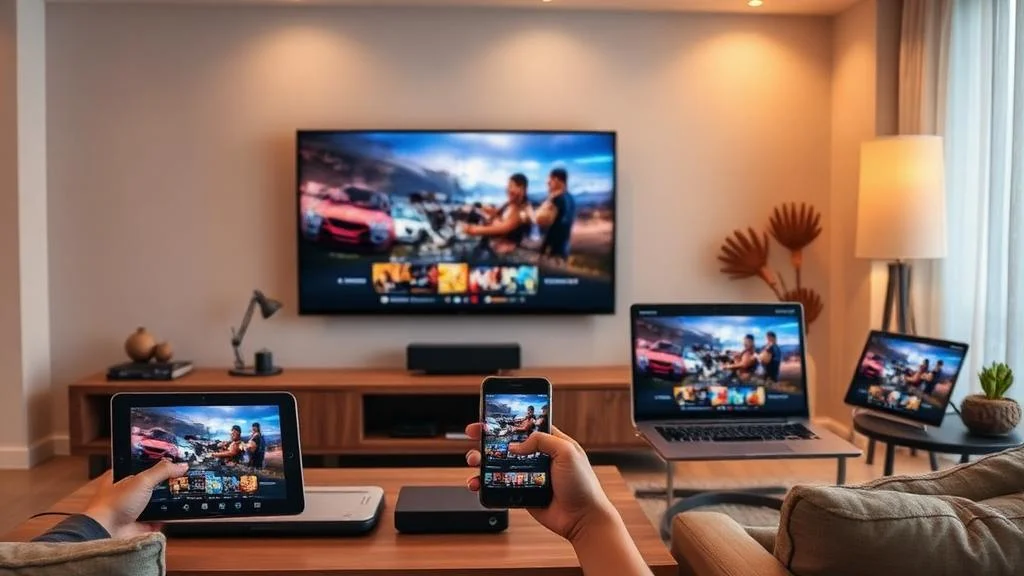
IPTV works on almost any screen:
- Smart TV — Many Samsung, LG, Hisense, and Philips TVs have IPTV apps built in, or support installing third-party apps.
- Amazon Fire TV Stick / Fire Cube — Extremely popular in Europe; inexpensive and easy to set up.
- Android TV Box — A small box that plugs into your TV’s HDMI port and runs Android apps.
- Apple TV — Works with IPTV apps available in the App Store.
- Smartphone or tablet — Watch on iOS or Android anywhere with a Wi-Fi or mobile data connection.
- Laptop or PC — Most IPTV services offer a web player or a Windows/Mac app.
- MAG Box — A dedicated IPTV set-top box, popular with more experienced users.
3. An IPTV App (Media Player)
You’ll need software to read your channel list and play the streams. Popular free options include:
- TiviMate (Android/Fire TV — widely regarded as the best IPTV player)
- IPTV Smarters Pro (multi-platform)
- GSE Smart IPTV (iOS & Android)
- VLC Media Player (Windows, Mac, Linux, Android — completely free and open-source)
4. An IPTV Subscription
Once you have a device and an app, you’ll need a subscription from a provider. This typically gives you an M3U URL or Xtream Codes login that you paste into your app. The app then loads all your channels automatically.
How to Get Started with IPTV in 5 Steps
Getting up and running with IPTV is far simpler than setting up cable or satellite. Here’s the process from scratch:
Step 1: Check Your Internet Speed
Run a speed test at fast.com or speedtest.net. If you’re getting at least 15–20 Mbps consistently, you’re good to go.
Step 2: Choose Your Device
If you already have a Smart TV or Amazon Fire Stick, you’re set. If not, a Fire TV Stick 4K (around €35–€50) is the most cost-effective starting point for most European users.
Step 3: Install an IPTV App
On your Fire Stick or Android TV, search for TiviMate or IPTV Smarters Pro in the app store and install it for free. On iPhone or iPad, search the App Store for GSE Smart IPTV.
Step 4: Choose a Reputable IPTV Provider
Research providers carefully. Look for:
- Clear licensing or content rights information
- Positive, verifiable reviews from real users
- A free trial period before you commit
- Responsive customer support
- A money-back guarantee
Avoid any provider that cannot clearly explain where their content comes from.
Step 5: Enter Your Subscription Details and Start Watching
Once you’ve subscribed, your provider will send you an M3U link or a username and password. Open your IPTV app, navigate to Add Playlist or Add Provider, paste in your details, and within seconds your full channel list will appear. Browse your guide, find something you like, and press play.
Frequently Asked Questions About IPTV
1. Can I watch IPTV for free?
Yes — public broadcaster apps like BBC iPlayer, ARD Mediathek, and France.tv are completely free (some require a free account). However, services offering hundreds of premium, live, and international channels typically charge a small monthly fee for a licensed subscription.
2. Do I need a VPN to use IPTV?
No — you do not need a VPN for legitimate, licensed IPTV services. A VPN can occasionally help with buffering caused by ISP throttling, but it is not a requirement and adds an unnecessary layer of complexity for beginners.
3. Why does my IPTV keep buffering?
Buffering is almost always caused by one of three things: a slow internet connection, Wi-Fi interference (try a wired Ethernet connection instead), or an overloaded provider server. Check your speed first, then contact your provider if the problem persists.
4. Can I watch IPTV on holiday in another EU country?
Often, yes. One of IPTV’s great advantages over cable and satellite is portability. As long as you have a decent internet connection, you can usually access your subscription from anywhere in the EU — and sometimes worldwide. Check your provider’s terms before travelling.
5. Is IPTV the same as Netflix or Disney+?
Not exactly. Netflix and Disney+ are on-demand streaming services — they offer a catalogue of films and shows that you pick from at any time, but no live TV. IPTV primarily delivers live channels (plus on-demand catch-up), making it a much closer replacement for traditional cable or satellite television.
The Bottom Line
So, what is IPTV? It’s the modern, flexible, internet-based way to watch television — live channels, sport, news, and on-demand content — without the expense, long contracts, or installation hassle of traditional cable or satellite. For European households looking to reduce their TV bills without sacrificing what they love to watch, it represents one of the most significant shifts in home entertainment in a generation.
The technology is simple, the setup is quick, and the savings can be substantial. Whether you’re replacing a cable package, supplementing a Netflix subscription, or just curious about your options, IPTV is well worth exploring.